
Stop Losing Your KQL Queries: The Git-Based Query Library Nobody Told You About
2025-10-28 · ~16 min read
How to treat your KQL queries like code: organize them in Git, reuse patterns, and build a shared query library for your Azure team.
This guide is part of our Azure Governance hub covering policy enforcement, compliance frameworks, and enterprise controls.
Last week, our security team asked: "Show me all resource deletions from August."
I knew I had the perfect query. I wrote it six months ago. It worked great. I just couldn't remember where I saved it.
I checked:
- OneNote (3 different notebooks)
- Slack search (found 5 similar queries, none quite right)
- Email search (found the query I sent to compliance, but it was an old version)
- Browser history (found the Log Analytics workspace, but not the saved query)
- Desktop folder named "temp queries" (12 untitled .txt files)
20 minutes later, I rewrote the query from scratch. Again.
This is stupid. We use Git for everything else. Why not KQL queries?
What You're Building
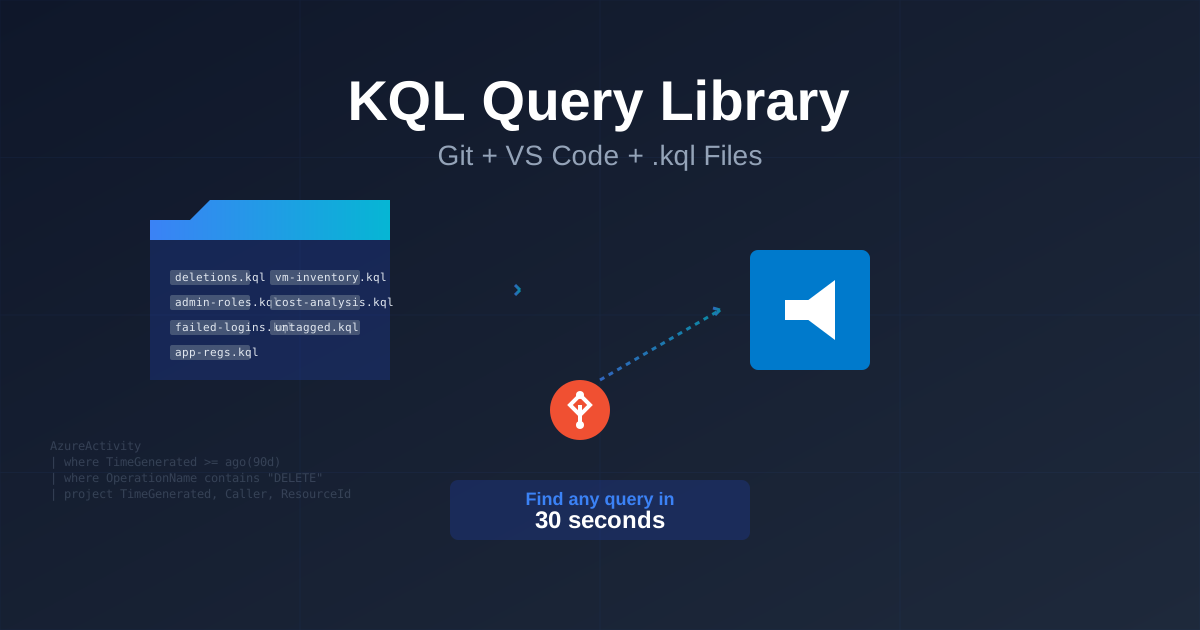
A Git repository that holds all your KQL queries in organized .kql files. When someone asks "show me X," you:
- Search by filename:
resource-deletions.kql - Open in VS Code
- Copy to Log Analytics
- Run query
- Done in 30 seconds
Time saved per year: 10-20 hours (at minimum wage, that's $150-300. At your actual salary, probably $500-1,000.)
Return on investment: 30 minutes to set up.
No-brainer.
Prerequisites
- VS Code installed
- Git repository (GitHub, Azure DevOps, GitLab, whatever)
- 30 minutes
You don't need:
- Special tools
- Azure DevOps boards
- Project management overhead
- Approval workflows
Just files. In Git. That's it.
Step 1: Install KQL Extension in VS Code (2 minutes)
- Open VS Code
- Press
Ctrl+Shift+X(Extensions) - Search:
Kusto - Install: "Kusto (KQL)" by Microsoft
- Reload VS Code
You now have:
- Syntax highlighting for .kql files
- IntelliSense (autocomplete)
- Query validation (catches errors before you run)
Step 2: Create Repository Structure (5 minutes)
Create a new Git repo or add this to an existing one:
azure-kql-queries/
├── README.md
├── activity-logs/
│   ├── resource-deletions.kql
│   ├── resource-creations.kql
│   ├── admin-role-changes.kql
│   └── policy-violations.kql
├── azure-ad/
│   ├── app-registration-creation.kql
│   ├── consent-grants.kql
│   ├── failed-signins.kql
│   ├── user-role-assignments.kql
│   └── conditional-access-changes.kql
├── cost-management/
│   ├── monthly-spend-by-subscription.kql
│   ├── top-10-expensive-resources.kql
│   └── cost-anomalies.kql
├── security/
│   ├── brute-force-detection.kql
│   ├── suspicious-ips.kql
│   ├── after-hours-activity.kql
│   └── privilege-escalation.kql
├── inventory/
│   ├── vm-inventory.kql
│   ├── storage-account-inventory.kql
│   ├── untagged-resources.kql
│   └── resources-without-locks.kql
└── compliance/
    ├── soc2-audit-trail.kql
    ├── pci-access-review.kql
    └── data-retention-check.kql
Folder naming rules:
- Use hyphens, not underscores (activity-logs, not activity_logs)
- Lowercase everything
- Group by Azure service or use case (not by date or person)
Step 3: Query File Template (5 minutes)
Every .kql file should start with this header:
//=============================================================================
// Query: Resource Deletions (Last 90 Days)
//=============================================================================
// Purpose: Find all successfully deleted resources for quarterly audit review
//
// Use Cases:
//   - Quarterly access review (required by SOC 2)
//   - Security incident investigation
//   - "Who deleted my storage account?" questions
//
// Output Columns:
//   - TimeGenerated: When the deletion occurred
//   - Caller: User or service principal that deleted the resource
//   - ResourceId: Full Azure Resource Manager ID
//   - ResourceGroup: Resource group name
//   - ResourceType: Type of resource deleted
//
// Last Updated: 2025-10-28
// Author: David Swann
// Tested With: Log Analytics Workspace, 90 days retention
//=============================================================================

AzureActivity
| where TimeGenerated >= ago(90d)
| where OperationName contains "DELETE"
| where ActivityStatusValue == "Success"
| project
    TimeGenerated,
    Caller,
    ResourceId,
    ResourceGroup,
    ResourceType = split(ResourceId, "/")[6],  // Extract type from ARM ID
    SubscriptionId
| order by TimeGenerated desc
Why this template works:
- Purpose tells you why this query exists
- Use Cases reminds you when to run it
- Output Columns documents what each field means (saves time explaining to auditors)
- Last Updated tracks query freshness
- Comments in the query explain non-obvious logic
Save this template as: _TEMPLATE.kql in the root directory. Copy it every time you create a new query.
Step 4: The Five Queries You Need Right Now (10 minutes)
These are the queries I run most often. Start with these, add your own over time.
1. Resource Deletions (Audit Trail)
File: activity-logs/resource-deletions.kql
//=============================================================================
// Query: Resource Deletions (Last 90 Days)
//=============================================================================
// Purpose: Audit trail of all deleted resources
// Use Cases: Quarterly reviews, incident response, "who deleted this?"
// Last Updated: 2025-10-28
//=============================================================================

AzureActivity
| where TimeGenerated >= ago(90d)
| where OperationName contains "DELETE"
| where ActivityStatusValue == "Success"
| extend ResourceType = split(ResourceId, "/")[6]
| project
    TimeGenerated,
    Caller,
    ResourceType,
    ResourceName = split(ResourceId, "/")[-1],
    ResourceGroup,
    SubscriptionId,
    OperationName
| order by TimeGenerated desc
2. Admin Role Assignments (Security Review)
File: azure-ad/admin-role-assignments.kql
//=============================================================================
// Query: New Admin Role Assignments
//=============================================================================
// Purpose: Track who was granted admin privileges
// Use Cases: Monthly security review, SOX compliance, privilege escalation investigation
// Last Updated: 2025-10-28
//=============================================================================

AuditLogs
| where TimeGenerated >= ago(30d)
| where OperationName == "Add member to role"
| where Result == "success"
| extend
    RoleName = tostring(TargetResources[0].displayName),
    UserAdded = tostring(TargetResources[1].userPrincipalName),
    AddedBy = tostring(InitiatedBy.user.userPrincipalName)
| where RoleName contains "Administrator"  // Focus on admin roles
| project
    TimeGenerated,
    AddedBy,
    UserAdded,
    RoleName,
    CorrelationId
| order by TimeGenerated desc
3. App Registration Creation (Shadow IT Detection)
File: azure-ad/app-registration-creation.kql
//=============================================================================
// Query: New App Registrations
//=============================================================================
// Purpose: Track creation of new app registrations (potential shadow IT)
// Use Cases: Monthly app review, Tenable scanner alerts, security audit
// Last Updated: 2025-10-28
//=============================================================================

AuditLogs
| where TimeGenerated >= ago(30d)
| where OperationName == "Add application"
| where Result == "success"
| extend
    AppName = tostring(TargetResources[0].displayName),
    AppId = tostring(TargetResources[0].id),
    CreatedBy = tostring(InitiatedBy.user.userPrincipalName),
    CreatedByObjectId = tostring(InitiatedBy.user.id)
| project
    TimeGenerated,
    CreatedBy,
    AppName,
    AppId,
    CorrelationId
| order by TimeGenerated desc
4. Failed Sign-Ins (Brute Force Detection)
File: security/failed-signins.kql
//=============================================================================
// Query: Failed Sign-In Attempts (Brute Force Detection)
//=============================================================================
// Purpose: Identify accounts under brute force attack
// Use Cases: Security monitoring, incident response, user lockout troubleshooting
// Last Updated: 2025-10-28
//=============================================================================

SignInLogs
| where TimeGenerated >= ago(24h)
| where ResultType != 0  // 0 = success, anything else = failure
| summarize
    FailedAttempts = count(),
    FirstAttempt = min(TimeGenerated),
    LastAttempt = max(TimeGenerated),
    UniqueIPs = dcount(IPAddress),
    IPList = make_set(IPAddress),
    ErrorCodes = make_set(ResultType)
    by UserPrincipalName, AppDisplayName
| where FailedAttempts >= 10  // Threshold for investigation
| order by FailedAttempts desc
5. Untagged Resources (Governance Check)
File: inventory/untagged-resources.kql
//=============================================================================
// Query: Resources Without Required Tags
//=============================================================================
// Purpose: Find resources missing cost center, environment, or owner tags
// Use Cases: Monthly governance review, chargeback preparation, tag cleanup
// Last Updated: 2025-10-28
//=============================================================================

Resources
| where type !in ("microsoft.resources/subscriptions", "microsoft.resources/subscriptions/resourcegroups")
| extend
    CostCenter = tostring(tags['CostCenter']),
    Environment = tostring(tags['Environment']),
    Owner = tostring(tags['Owner'])
| where isempty(CostCenter) or isempty(Environment) or isempty(Owner)
| project
    name,
    type,
    resourceGroup,
    location,
    CostCenter,
    Environment,
    Owner,
    subscriptionId
| order by resourceGroup asc, name asc
Save these five queries. They cover 80% of common requests.
Step 5: Daily Workflow (How to Actually Use This)
When someone asks a question:
Before (the old way):
1. Try to remember where you saved the query
2. Search Slack: "kql delete" (12 results, none right)
3. Check OneNote (wrong notebook)
4. Google it and adapt an example
5. 15 minutes wasted
After (with Git):
1. Open VS Code
2. Press Ctrl+P (Quick Open)
3. Type: delete
4. See: resource-deletions.kql
5. Press Enter
6. Copy query, paste into Log Analytics
7. Done in 30 seconds
When you write a new query:
- Save it immediately:
File > Save As > [folder]/[descriptive-name].kql - Add the header template (purpose, use cases, etc.)
- Commit to Git:
git add . && git commit -m "Add query for X" - Push:
git push
Don't wait. Save it the moment you write it. Future you will thank you.
When you update a query:
- Edit the
.kqlfile - Update the "Last Updated" date in the header
- Add a comment explaining what changed
- Commit:
git commit -m "Fix date range in resource-deletions.kql"
Git history shows you every version of every query. You can always roll back.
My Real-World Query Library Stats
In my current environment, I maintain ~80 KQL queries across 12 folders:
| Folder | Queries | Most Used |
|---|---|---|
| activity-logs | 15 | resource-deletions.kql |
| azure-ad | 12 | app-registration-creation.kql |
| cost-management | 8 | monthly-spend-by-subscription.kql |
| security | 18 | failed-signins.kql |
| inventory | 14 | vm-inventory.kql |
| compliance | 13 | soc2-audit-trail.kql |
Time saved per month: ~12 hours (not searching for queries)
Queries run per week: 20-30 (audits, troubleshooting, reviews)
Percentage of queries reused: 90% (write once, use many times)
Common Mistakes to Avoid
Mistake 1: One Giant File
Wrong:
all-queries.kql (2,500 lines)
Right:
activity-logs/
  resource-deletions.kql (50 lines)
  resource-creations.kql (45 lines)
  admin-role-changes.kql (60 lines)
Why: You can't search a 2,500-line file efficiently. Split by purpose.
Mistake 2: No Comments
Wrong:
AzureActivity
| where TimeGenerated >= ago(90d)
| where OperationName contains "DELETE"
Right:
// Purpose: Find all deleted resources for quarterly audit
// Use case: SOC 2 CC6.1 compliance review
// Last updated: 2025-10-28

AzureActivity
| where TimeGenerated >= ago(90d)
| where OperationName contains "DELETE"
Why: Three months from now, you won't remember why you wrote this or when to use it.
Mistake 3: Vague Filenames
Wrong:
query1.kql
test.kql
new-query-final-v3.kql
Right:
resource-deletions-last-90-days.kql
failed-signin-attempts-brute-force.kql
untagged-resources-by-subscription.kql
Why: Filename should tell you exactly what the query does.
Mistake 4: Not Committing Often
Wrong: Write 10 queries, commit once a month with message "updates"
Right: Write 1 query, commit immediately with descriptive message
git commit -m "Add query to find VMs without backup enabled"
Why: Git history becomes your documentation. Each commit explains what changed and why.
The 10-Query Starter Pack
If you're building this from scratch, start with these 10 queries. They cover the most common requests I get:
- activity-logs/resource-deletions.kql - Who deleted what
- activity-logs/resource-creations.kql - Who created what
- azure-ad/admin-role-assignments.kql - Who got admin access
- azure-ad/app-registration-creation.kql - New apps created
- security/failed-signins.kql - Brute force detection
- security/after-hours-activity.kql - Activity outside business hours
- inventory/vm-inventory.kql - Complete VM list with details
- inventory/untagged-resources.kql - Resources missing tags
- compliance/soc2-audit-trail.kql - Audit log for SOC 2
- cost-management/top-10-expensive-resources.kql - Biggest cost drivers
These 10 queries will handle 80% of your requests.
Add more as you need them. Don't try to build everything at once.
Next Steps
This week:
1. Create the Git repository
2. Install VS Code KQL extension
3. Create folder structure
4. Copy the 5 queries from this post
5. Commit and push
Next month:
1. Every time you write a query, save it immediately
2. Add 1-2 new queries per week
3. Run your most common queries from the repo (not from memory)
In 6 months:
- You'll have 30-50 queries
- You'll stop searching Slack for queries you wrote
- You'll answer audit questions in seconds
- You'll wonder how you ever lived without this
The Real Takeaway
This isn't about being organized for the sake of organization.
It's about this moment:
Security team: "Show me all admin role grants from Q2."
You: Ctrl+P → admin-role → Copy → Paste → Run
30 seconds. Done.
That's the entire point.
Questions? Built your own query library? Have a better folder structure? Email me at contact@azure-noob.com or drop a comment below.
Related posts:
- The Missing SOC 2 Guide: Azure Activity Log Setup
- SOC 2 Audit Prep Part 2: Azure AD Audit Logs
- KQL Cheat Sheet: Complete Guide
🎯 Ready for Production-Ready Queries?
This guide covers the basics, but scaling to 30,000+ resources requires battle-tested patterns.
The Complete KQL Query Library includes:
- ✅ 48 copy-paste ready queries (VMs, networking, security, cost)
- ✅ Advanced joins (VMs → NICs → Disks → Subnets → Subscriptions)
- ✅ Enterprise-scale tested on 31,000+ resources
- ✅ Performance optimization for massive environments
- ✅ SQL to KQL translation guide
- ✅ Lifetime updates
Launch price: $19 (regular $29)
Get the Complete KQL Library →
Azure Admin Starter Kit (Free Download)
Get my KQL cheat sheet, 50 Windows + 50 Linux commands, and an Azure RACI template in one free bundle.
Get the Starter Kit →📊 Stop Rewriting the Same KQL Queries
Get 45+ production-ready KQL queries for Azure Resource Graph, Log Analytics, and Activity Logs. Copy-paste ready with comments and business context.
Download Complete Query LibraryPDF format • No email required • Instant download