
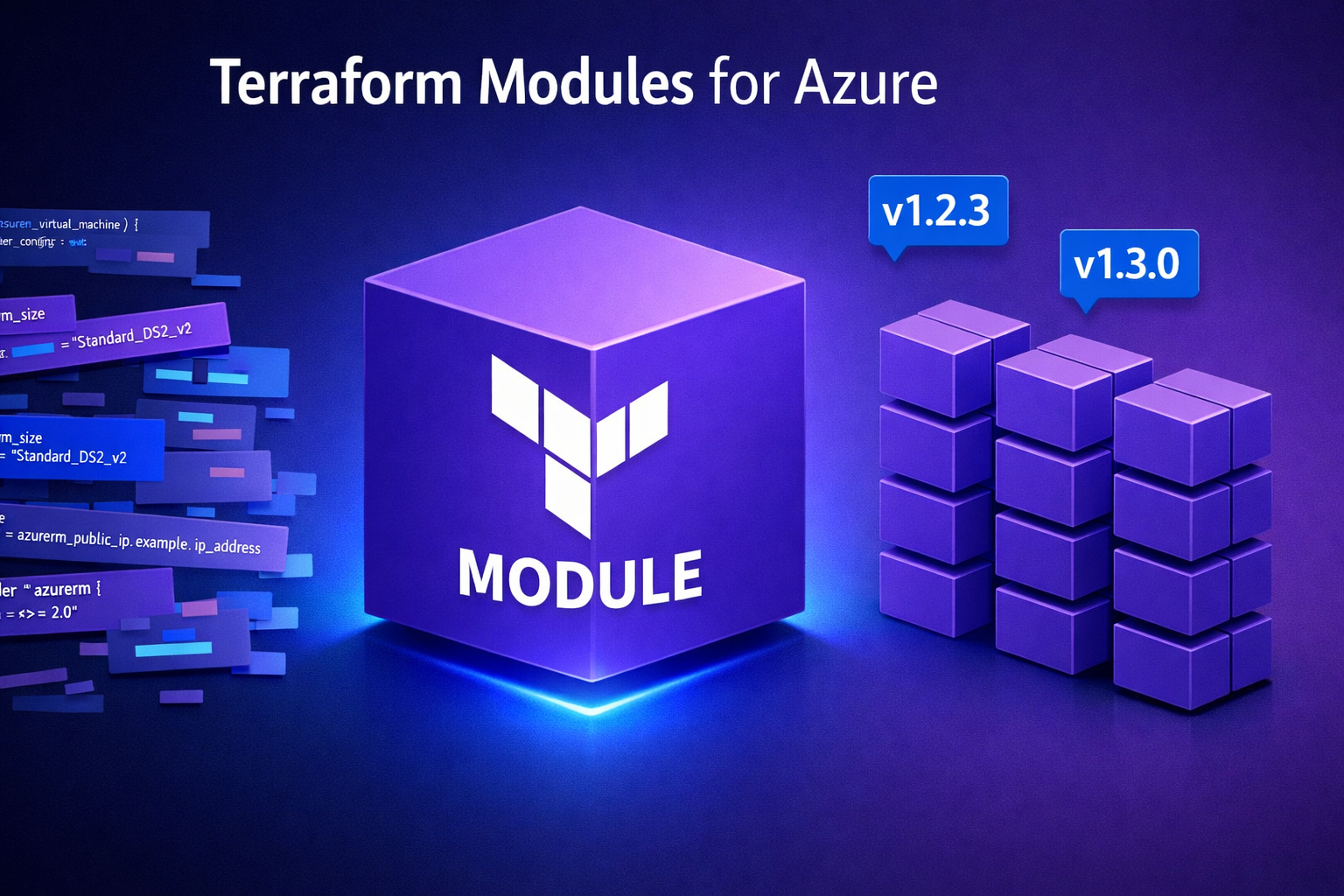
Terraform Modules for Azure: From Local to Published (4 Steps That Actually Work)
2025-12-21 · ~19 min read
Stop copy-pasting Terraform code across repos. Build reusable modules, version them properly, and publish to Azure DevOps Artifacts or Terraform Registry.
Short Answer: Terraform modules let you package reusable infrastructure as code that multiple teams can consume without copy-pasting. Build a local module first, test it in isolation, version it with semantic versioning, then publish to Azure DevOps Artifacts or Terraform Registry. Most teams skip versioning and testing, creating unmaintainable module sprawl across 47 repos.
This guide is part of our Terraform for Azure hub covering enterprise CI/CD, remote state management, and production IaC patterns.
I've watched teams copy-paste the same Azure resource definitions into 23 different Terraform repos. Then one person discovers a security issue with how they configured NSG rules. Now you need to fix it in 23 places.
Or you build a Terraform module. Fix it once. Everyone gets the update.
Here's how to build modules that teams actually use instead of routing around.
Why Use Terraform Modules?
Modules solve three problems:
- Reduce repetition — Write resource configuration once, use it everywhere
- Enforce standards — Team can't deploy non-compliant resources if the module won't allow it
- Enable self-service — Developers provision infrastructure without knowing Terraform internals
When NOT to use modules:
- Unique, one-off resources — If you're only deploying it once, just write the Terraform directly
- Rapidly changing requirements — Modules add abstraction. During prototyping, abstraction slows you down
- Learning Terraform — Learn the resources first, then abstract into modules
Real example: We built a module for Azure Storage Accounts with encryption, private endpoints, and compliance settings. 14 teams use it. When NIST 800-53 requirements changed, we updated the module once. All 14 teams got compliance by running terraform init -upgrade.
Step 1: Use Existing Modules First (Don't Build Yet)
Before you write any code, check if someone already built it:
Community Modules
HashiCorp Verified Modules:
- Browse: https://registry.terraform.io/browse/modules?provider=azurerm
- Quality guarantee: HashiCorp reviews these
- Example: Azure/compute/azurerm for Virtual Machines
Azure Verified Modules (AVM):
- Microsoft's official module collection
- GitHub: https://github.com/Azure/terraform-azurerm-avm
- Follows Azure naming conventions
- Updated when Azure resources change
How to evaluate a module:
# Check module metadata
terraform init
terraform providers

# Review source on GitHub
# Look for:
# - Last updated date (< 6 months = maintained)
# - Issue count vs. closed issues
# - Number of contributors (> 1 = not abandoned)
Example: Using a verified module
module "storage_account" {
  source  = "Azure/storage/azurerm"
  version = "~> 4.0"

  resource_group_name = azurerm_resource_group.example.name
  location            = azurerm_resource_group.example.location
  storage_account_name = "mystorageaccount"

  # Module handles encryption, networking, compliance
}
When to build your own:
- Existing modules don't match your compliance requirements
- You need custom resource combinations (Storage + Key Vault + Private Endpoint as one unit)
- Enterprise standards differ from community patterns (naming, tagging, RBAC)
Step 2: Build a Local Module (Test Before Publishing)
Modules are just Terraform code in a subdirectory.
Module Structure
terraform-modules/
├── modules/
│   └── azure-storage-private/
│       ├── main.tf          # Resource definitions
│       ├── variables.tf     # Input variables
│       ├── outputs.tf       # Return values
│       ├── versions.tf      # Provider requirements
│       └── README.md        # Usage documentation
└── examples/
    └── complete/
        ├── main.tf          # Example usage
        └── terraform.tfvars # Example values
Example: Azure Storage Account Module
modules/azure-storage-private/variables.tf
variable "resource_group_name" {
  description = "Resource group for storage account"
  type        = string
}

variable "location" {
  description = "Azure region"
  type        = string
}

variable "storage_account_name" {
  description = "Storage account name (3-24 chars, lowercase, numbers)"
  type        = string

  validation {
    condition     = can(regex("^[a-z0-9]{3,24}$", var.storage_account_name))
    error_message = "Storage account name must be 3-24 lowercase letters/numbers"
  }
}

variable "private_endpoint_subnet_id" {
  description = "Subnet ID for private endpoint"
  type        = string
}

variable "tags" {
  description = "Resource tags"
  type        = map(string)
  default     = {}
}
modules/azure-storage-private/main.tf
terraform {
  required_providers {
    azurerm = {
      source  = "hashicorp/azurerm"
      version = "~> 3.0"
    }
  }
}

resource "azurerm_storage_account" "this" {
  name                     = var.storage_account_name
  resource_group_name      = var.resource_group_name
  location                 = var.location
  account_tier             = "Standard"
  account_replication_type = "GRS"

  # Security defaults
  min_tls_version                 = "TLS1_2"
  allow_nested_items_to_be_public = false
  enable_https_traffic_only       = true

  # Encryption
  infrastructure_encryption_enabled = true

  # Network rules - deny public access
  network_rules {
    default_action = "Deny"
    bypass         = ["AzureServices"]
  }

  tags = var.tags
}

resource "azurerm_private_endpoint" "blob" {
  name                = "${var.storage_account_name}-blob-pe"
  location            = var.location
  resource_group_name = var.resource_group_name
  subnet_id           = var.private_endpoint_subnet_id

  private_service_connection {
    name                           = "${var.storage_account_name}-blob-psc"
    private_connection_resource_id = azurerm_storage_account.this.id
    subresource_names             = ["blob"]
    is_manual_connection          = false
  }

  tags = var.tags
}
modules/azure-storage-private/outputs.tf
output "storage_account_id" {
  description = "Storage account resource ID"
  value       = azurerm_storage_account.this.id
}

output "storage_account_name" {
  description = "Storage account name"
  value       = azurerm_storage_account.this.name
}

output "primary_blob_endpoint" {
  description = "Primary blob endpoint"
  value       = azurerm_storage_account.this.primary_blob_endpoint
}

output "private_endpoint_ip" {
  description = "Private endpoint IP address"
  value       = azurerm_private_endpoint.blob.private_service_connection[0].private_ip_address
}
Using the Local Module
examples/complete/main.tf
terraform {
  required_providers {
    azurerm = {
      source  = "hashicorp/azurerm"
      version = "~> 3.0"
    }
  }
}

provider "azurerm" {
  features {}
}

resource "azurerm_resource_group" "example" {
  name     = "rg-storage-example"
  location = "East US"
}

resource "azurerm_virtual_network" "example" {
  name                = "vnet-example"
  address_space       = ["10.0.0.0/16"]
  location            = azurerm_resource_group.example.location
  resource_group_name = azurerm_resource_group.example.name
}

resource "azurerm_subnet" "private_endpoints" {
  name                 = "snet-private-endpoints"
  resource_group_name  = azurerm_resource_group.example.name
  virtual_network_name = azurerm_virtual_network.example.name
  address_prefixes     = ["10.0.1.0/24"]
}

module "storage_private" {
  source = "../../modules/azure-storage-private"

  storage_account_name       = "stprivateexample001"
  resource_group_name        = azurerm_resource_group.example.name
  location                   = azurerm_resource_group.example.location
  private_endpoint_subnet_id = azurerm_subnet.private_endpoints.id

  tags = {
    Environment = "Production"
    ManagedBy   = "Terraform"
    CostCenter  = "Infrastructure"
  }
}

output "storage_id" {
  value = module.storage_private.storage_account_id
}
Test it:
cd examples/complete
terraform init
terraform plan
terraform apply

# Verify private endpoint works
# Verify public access is blocked
# Test from VM in same VNet

terraform destroy
Step 3: Version Your Module (Semantic Versioning)
Modules without versions create deployment chaos.
Why Versioning Matters
Without versions:
- Team A: "The storage module broke our deployment"
- Team B: "We updated it last week to fix security issues"
- Team A: "We didn't know. Our production is down."
With versions:
- Team A: Uses version = "1.2.3" (stable)
- Team B: Tests version = "1.3.0" (latest)
- Team A: Upgrades when ready, not when broken
Semantic Versioning Rules
Format: MAJOR.MINOR.PATCH (e.g., 2.1.4)
- MAJOR (2.0.0) — Breaking changes (rename variables, remove outputs, change defaults)
- MINOR (1.1.0) — New features, backward compatible (add optional variables)
- PATCH (1.0.1) — Bug fixes, no API changes
Examples:
# Breaking change: renamed variable
# OLD: private_endpoint_enabled = true
# NEW: enable_private_endpoint = true
# Version: 1.x.x → 2.0.0

# New feature: add optional lifecycle rules
# Version: 1.2.x → 1.3.0

# Bug fix: fixed private endpoint DNS
# Version: 1.2.3 → 1.2.4
Tagging Releases in Git
# After testing module changes
git add modules/azure-storage-private/
git commit -m "feat: add lifecycle management support"

# Create version tag
git tag -a v1.3.0 -m "Add lifecycle management support"
git push origin v1.3.0

# View tags
git tag -l
CHANGELOG.md (track changes):
# Changelog

## [1.3.0] - 2025-12-21
### Added
- Lifecycle management rules for blob retention
- Optional variable `lifecycle_rules` (default: null)

### Changed
- Updated azurerm provider requirement to ~> 3.85

## [1.2.4] - 2025-12-15
### Fixed
- Private endpoint DNS registration now works correctly

## [1.2.3] - 2025-12-10
### Security
- Enforce TLS 1.2 minimum (was allowing TLS 1.0)
Step 4: Publish to Azure DevOps Artifacts or Terraform Registry
Local modules work for single teams. Published modules work for enterprises.
Option A: Azure DevOps Artifacts (Private Modules)
Best for:
- Enterprise internal modules
- Compliance-restricted code
- Modules with proprietary logic
Setup:
- Create Azure DevOps Artifacts feed:
# In your Azure DevOps project
Artifacts → Create Feed → "terraform-modules"
# Permissions: Project Contributors (read), Module Publishers (write)
- Configure Terraform to use feed:
terraform.tfrc (in user home directory):
credentials "pkgs.dev.azure.com" {
  token = "YOUR_PAT_TOKEN"
}
Generate PAT token:
- Azure DevOps → User Settings → Personal Access Tokens
- Scopes: Packaging (Read & Write)
- Publish module to feed:
Package as .tar.gz:
cd modules/azure-storage-private
tar -czf azure-storage-private-1.3.0.tar.gz .
Upload to Artifacts:
# Using Azure CLI
az artifacts universal publish \
  --organization https://dev.azure.com/YOUR_ORG \
  --project YOUR_PROJECT \
  --feed terraform-modules \
  --name azure-storage-private \
  --version 1.3.0 \
  --path azure-storage-private-1.3.0.tar.gz
- Consume from Artifacts:
module "storage" {
  source  = "pkgs.dev.azure.com/YOUR_ORG/YOUR_PROJECT/_packaging/terraform-modules/generic/azure-storage-private/1.3.0"

  # ... variables
}
Option B: Terraform Registry (Public Modules)
Best for:
- Open source modules
- Community contributions
- Building reputation
Requirements:
- Public GitHub repository
- Named: terraform-azurerm-MODULENAME
- Git tags for versions
Setup:
- Create GitHub repo:
# Repo name: terraform-azurerm-storage-private
# Description: "Azure Storage Account with Private Endpoint"
# License: Apache 2.0 or MIT
- Structure for Terraform Registry:
terraform-azurerm-storage-private/
├── main.tf
├── variables.tf
├── outputs.tf
├── versions.tf
├── README.md
├── CHANGELOG.md
├── LICENSE
└── examples/
    └── complete/
        ├── main.tf
        └── README.md
-
Publish to Registry:
-
Go to: https://registry.terraform.io/github/create
- Sign in with GitHub
- Select your repository
-
Registry auto-detects Git tags as versions
-
Consume from Registry:
module "storage" {
  source  = "YOUR_GITHUB_USERNAME/storage-private/azurerm"
  version = "~> 1.3"

  # ... variables
}
Registry publishing checklist:
- ✅ README with usage examples
- ✅ Input variables documented
- ✅ Outputs documented
- ✅ Git tag with version (v1.0.0)
- ✅ LICENSE file
- ✅ Working examples/ directory
What Breaks at Enterprise Scale
Problem 1: Module Sprawl
Symptom: 47 different storage account modules across repos.
Cause: Each team builds their own because discovery is hard.
Fix:
# Create central module catalog
# Confluence page or internal docs site

## Available Terraform Modules

### azure-storage-private
- **Source:** pkgs.dev.azure.com/.../azure-storage-private
- **Latest:** 1.3.0
- **Owner:** Infrastructure Team
- **Docs:** [Link to README]

### azure-vm-windows
- **Source:** pkgs.dev.azure.com/.../azure-vm-windows
- **Latest:** 2.1.0
- **Owner:** Platform Team
Problem 2: Breaking Changes Without Warning
Symptom: terraform apply fails in production after module update.
Cause: Didn't use version constraints.
Fix:
# BAD: No version constraint (always gets latest)
module "storage" {
  source = "pkgs.dev.azure.com/.../azure-storage-private"
}

# GOOD: Pessimistic constraint (allows patches, not breaking changes)
module "storage" {
  source  = "pkgs.dev.azure.com/.../azure-storage-private"
  version = "~> 1.3.0"  # Allows 1.3.x, blocks 1.4.0 and 2.0.0
}
Problem 3: Modules Don't Get Updated
Symptom: Module has security patch, but teams still use v1.0.0.
Cause: No automated dependency scanning.
Fix:
Add Dependabot (GitHub):
.github/dependabot.yml
version: 2
updates:
  - package-ecosystem: "terraform"
    directory: "/"
    schedule:
      interval: "weekly"
    commit-message:
      prefix: "terraform"
Or manual audit:
# Find all module versions in use
grep -r "source.*azure-storage-private" . --include="*.tf" -A 1 | grep version

# Output:
# version = "1.2.3"  # Team A
# version = "1.3.0"  # Team B
# (no version)       # Team C ← Problem!
Problem 4: Module Testing Doesn't Exist
Symptom: Module works in dev, fails in prod.
Cause: Never tested with production-like config (multiple subnets, existing resources, etc.)
Fix:
Add Terratest (Go-based testing):
// test/storage_test.go
package test

import (
    "testing"
    "github.com/gruntwork-io/terratest/modules/terraform"
)

func TestStorageModule(t *testing.T) {
    terraformOptions := &terraform.Options{
        TerraformDir: "../examples/complete",
    }

    defer terraform.Destroy(t, terraformOptions)
    terraform.InitAndApply(t, terraformOptions)

    // Assertions
    storageID := terraform.Output(t, terraformOptions, "storage_id")
    assert.NotEmpty(t, storageID)
}
Or use Azure Policy validation:
# After apply, validate compliance
az policy state list --resource-group rg-storage-example \
  --query "[?complianceState=='NonCompliant']"

# Should return empty if module enforces compliance correctly
Production Checklist
Before publishing a module to your team:
- ✅ Tested in isolation (examples/complete works)
- ✅ Versioned (Git tag, CHANGELOG.md updated)
- ✅ Documented (README with inputs, outputs, examples)
- ✅ Validated (runs
terraform validate,terraform fmt -check) - ✅ Security reviewed (no hardcoded secrets, follows least privilege)
- ✅ Published (Azure DevOps Artifacts or Terraform Registry)
- ✅ Cataloged (team knows it exists and how to use it)
What to Do Next
If you're new to modules:
- Pick one resource type you deploy repeatedly (Storage, VMs, App Services)
- Build a local module following Step 2
- Test with
examples/complete - Use it in one project for 2 weeks
- If it works, version and publish
If you already have modules:
- Audit:
find . -name "*.tf" -exec grep -l "module \"" {} \; - Identify unversioned modules (grep for source without version)
- Add versions:
version = "~> 1.0" - Create central module catalog (Confluence, internal docs)
If you have 10+ modules:
- Consolidate: Merge duplicate modules
- Deprecate: Mark old modules as deprecated, provide migration path
- Automate: Add Dependabot or similar for version tracking
- Test: Add Terratest or Azure Policy validation
Common Questions
Q: Should every Terraform resource be in a module?
No. Modules add abstraction. Use them when:
- You deploy the same pattern 3+ times
- Compliance requires specific configuration
- Teams need self-service without Terraform expertise
Q: How do I handle breaking changes?
Increment major version (1.x → 2.0). Provide migration guide in CHANGELOG.md. Keep old version available for 6-12 months.
Q: Azure DevOps Artifacts vs. Terraform Registry?
- Artifacts: Private modules, enterprise compliance, works behind firewall
- Registry: Public modules, community contributions, free hosting
Use both: Private modules in Artifacts, public examples in Registry.
Q: How do I test modules locally without publishing?
Use relative paths:
module "storage" {
  source = "../../modules/azure-storage-private"
}
Once tested, switch to versioned source.
Q: What if the module doesn't support our use case?
Add optional variable with default behavior:
variable "enable_lifecycle_rules" {
  description = "Enable lifecycle management"
  type        = bool
  default     = false  # Doesn't break existing usage
}
Increment minor version (1.2.x → 1.3.0).
Tools That Help
Module Development:
- Terraform Docs: Auto-generate README from variables/outputs
- TFLint: Catch errors before running apply
- Checkov: Security scanning for IaC
Module Testing:
- Terratest: Go-based testing framework
- Kitchen-Terraform: Test Kitchen for Terraform
- Azure Policy: Validate deployed resources meet compliance
Module Publishing:
- Azure DevOps Artifacts: Private module registry
- Terraform Registry: Public module hosting
- GitHub Actions: Automate testing and publishing
The Bottom Line
Terraform modules are force multipliers.
Build one storage account module. 20 teams use it. Fix one security issue. All 20 teams get the fix.
Don't build modules too early (wait until you have repetition).
Don't publish modules without testing (examples/complete must work).
Don't skip versioning (version = "~> 1.0" saves you from breaking changes).
Version your modules. Test your modules. Publish your modules. Then teams stop copy-pasting your Terraform code into 47 repos.
Related Terraform Content:
- Terraform CI/CD Complete Series — Build Azure DevOps pipelines for Terraform deployments
- Terraform Remote State with Azure — Configure backend storage for state files
- Azure AI Foundry with Terraform — Advanced module example for AI infrastructure
Azure Admin Starter Kit (Free Download)
Get my KQL cheat sheet, 50 Windows + 50 Linux commands, and an Azure RACI template in one free bundle.
Get the Starter Kit →🚀 Azure Admin Starter Kit
Get the KQL cheat sheet, 50 Windows + 50 Linux commands, and Azure RACI template in one free bundle. Built from managing 44 subscriptions and 31,000+ resources.
Get the Starter Kit →Free download • No email required • Instant access