
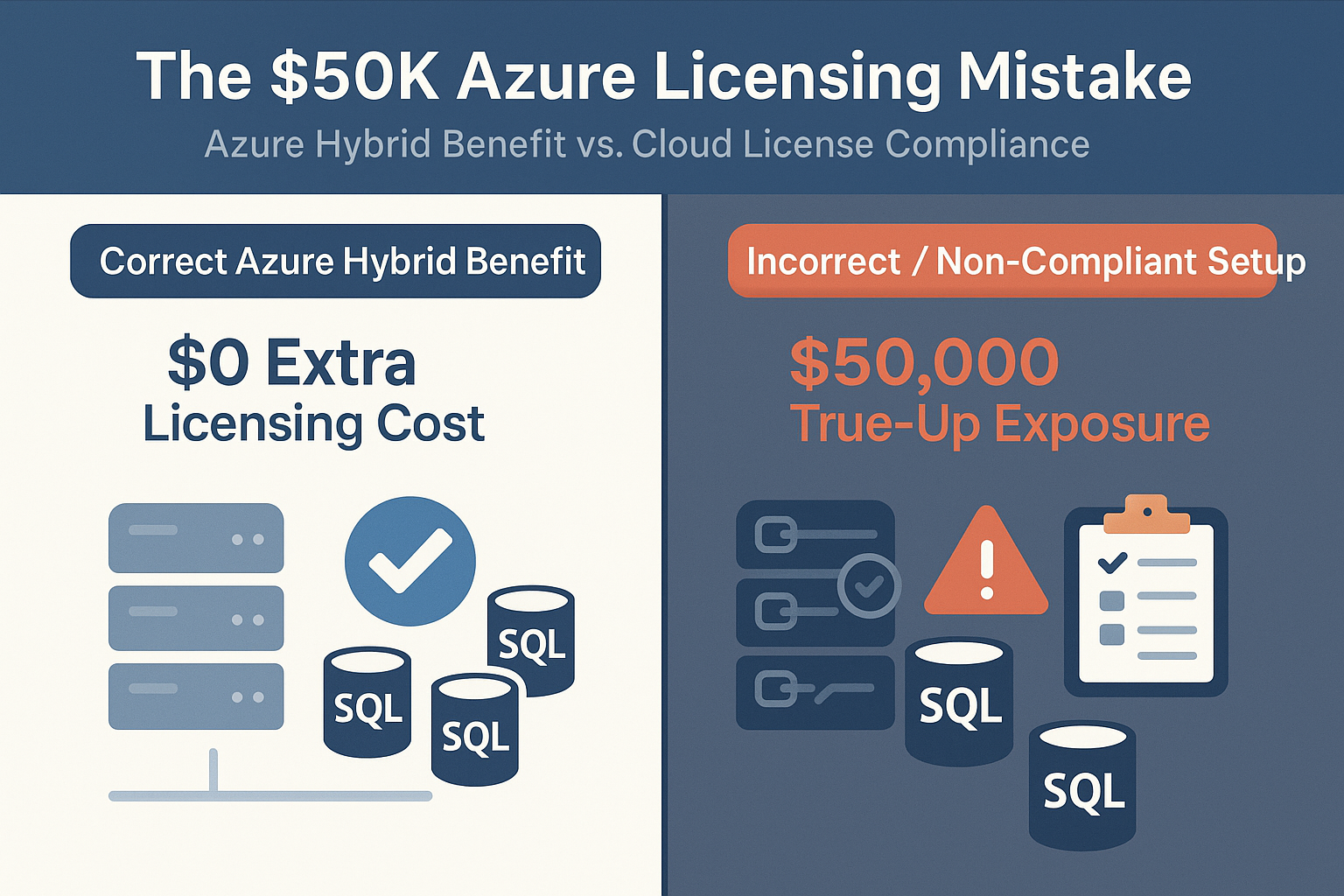
Azure Hybrid Benefit Audit Guide: Avoid the $50K Licensing Mistake (2025)
2025-12-11 · ~19 min read · Updated 2025-12-10
Azure Hybrid Benefit saves money when used correctly - but misuse triggers $50K+ compliance penalties. This is the complete operational guide for Azure administrators: pre-migration validation, audit timelines, documentation requirements, and the 8-question checklist that prevents licensing disasters.
Azure Hybrid Benefit (AHB) is supposed to save money — not trigger a $50,000 audit bill.
Short Answer
Azure Hybrid Benefit requires active Software Assurance, documented proof of purchase, correct license-to-core mapping, and decommissioning proof for on-premises usage. Enterprises fail audits when they assume on-premises licenses automatically transfer to Azure without SA, enable AHB on marketplace images with built-in licensing, or continue running on-premises servers beyond the 180-day grace period. Pre-migration validation through the 8-question checklist prevents the $50K+ audit penalties that result from missing documentation, expired SA, OEM license restrictions, or oversized VMs exceeding licensed core counts.
This guide is part of our Azure Governance hub covering policy enforcement, compliance frameworks, and enterprise controls.
But that's exactly what happens inside enterprise environments every single year.
The mistake is simple, predictable, and embarrassingly common:
Enterprises assume their on-prem Windows Server and SQL Server licenses automatically give them cloud usage rights.
They don't.
And when auditors show up six months after your migration, the bill they bring isn't "oops money."
It's real money — often north of $50K.
This post explains why it happens, how to prevent it, and provides the 8-question pre-migration AHB validation checklist every Azure admin should complete before touching that toggle.
Why do Azure Hybrid Benefit audits fail in enterprise environments?
Cause: Azure Hybrid Benefit is enabled without validated Software Assurance, documented proof of purchase, or confirmed license-to-core alignment.
Effect: Auditors flag non-compliance months later, resulting in retroactive licensing charges, failed true-ups, and $50K+ penalties.
What to do: Validate eligibility using a pre-migration checklist, confirm SA status and license scope, and retain decommissioning evidence before enabling AHB.
Here's the problem no one wants to say out loud:
Your on-prem licenses don't magically come with you to Azure.
Not CALs.
Not Windows Server cores.
Not SQL Server entitlements.
Unless you have:
- Active Software Assurance (SA)
- Proof of purchase for every license
- Documented license assignment to specific cores
- Workload eligibility confirmation from vendor
- Decommissioning proof for on-prem usage
…you're already in non-compliant territory.
Yet during cloud migrations, someone inevitably says:
"We already own SQL. Just apply Azure Hybrid Benefit."
And that moment — right there — is when the $50K mistake begins.
This is the same pattern seen in the 55-Question Application Questionnaire used in enterprise migrations where institutional knowledge gaps kill projects:
👉 Why Most Azure Migrations Fail: The Pre-Migration Reality Check
How Azure Hybrid Benefit Actually Works (And When It Doesn't)
Azure Hybrid Benefit is genuinely fantastic when used correctly.
But there are hard rules. Break them, and you're paying twice.
✅ When AHB Works
You must have ALL of these:
1. Active Software Assurance
- Not "we used to have SA"
- Not "we think SA is active"
- Active, documented, current SA tied to your volume licensing agreement
2. Proof of Purchase for Every License
- Original purchase orders
- Volume licensing agreement documents
- License keys and entitlement records
- Assignment records showing which cores
3. Correct License-to-Core Mapping
- Physical core count documented
- License assignment matches Azure VM core count
- No oversizing (using more Azure cores than licensed on-prem)
4. Eligible Workloads
- Windows Server: Datacenter or Standard edition with SA
- SQL Server: Enterprise or Standard edition with SA
- Not OEM licenses (tied to hardware, can't transfer)
- Not retail licenses (wrong licensing program)
5. Right VM Size for Licenses Owned
- 8-core on-prem license = up to 8 vCPU Azure VM
- Oversizing requires additional licenses
- Can't "borrow" licenses from other VMs
6. Decommissioning Documentation
- On-prem servers using these licenses must be shut down
- 180-day dual-use grace period (then on-prem MUST stop)
- Documented proof of decommissioning for audits
❌ When AHB Does NOT Work
Common failure scenarios:
Software Assurance Issues:
- SA has expired (even by one day = no AHB)
- SA was never purchased (base license only)
- Can't prove SA is active (lost documentation)
License Type Restrictions:
- OEM licenses (tied to HP/Dell server, not transferable)
- Retail licenses (wrong program for cloud)
- Trial licenses or NFR licenses
- Licenses from MSDN/Visual Studio subscriptions
Usage Violations:
- Using AHB on marketplace images with built-in licensing (double-paying)
- Applying AHB when on-prem servers still running (180-day grace period expired)
- Using more licensed cores than documented ownership
- Assigning same license to multiple Azure VMs simultaneously
Workload Eligibility:
- Applying Windows AHB to Linux VMs (obviously wrong but happens)
- Using SQL AHB for databases that already include licensing
- Trying to use Datacenter licenses for Standard workloads (requires separate tracking)
This is why many cloud ROI projections fail — licensing assumptions collapse under audit scrutiny:
👉 Why Azure Migration ROI Calculations Are Wrong
The Licensing Audit Timeline: What Happens After Migration
Azure migrations don't fail immediately.
They fail after the dust settles.
Here's the typical audit timeline:
Months 1-3: Migration Chaos
What's happening:
- Infrastructure teams rushing to meet deadlines
- AHB gets enabled across dozens of VMs
- Documentation lives in screenshots and Slack messages
- Nobody's thinking about future audits
Red flags being created:
- VM sizes don't match license core counts
- Marketplace images with AHB enabled (double-charging)
- On-prem servers still running with "migrated" licenses
- No tracking of which licenses assigned to which VMs
Months 4-6: Azure Stabilizes
What's happening:
- Cost patterns normalize
- Microsoft's automated systems notice AHB usage patterns
- Account flagged for license position review
What Microsoft sees:
- 150-300 VMs suddenly using AHB
- Usage patterns inconsistent with typical licensing
- Possible overuse of cores beyond purchased licenses
Month 6-12: The Email Arrives
Subject: "Microsoft Licensing Compliance Review - Action Required"
Translation: "We think you may owe us money. Prove you don't."
They ask for:
- Proof of license purchase
- Software Assurance documentation
- Assignment mapping (which licenses → which VMs)
- Decommissioning proof for on-prem servers
- Reassignment logs if licenses moved between VMs
If you can't produce it — you pay.
CASE STUDY: The $78,000 AHB Audit
Background:
Financial services company migrates 156 VMs to Azure.
Initial Setup:
Enabled AHB across:
- 63 SQL Server Enterprise VMs
- 93 Windows Server VMs
Cost savings (initial): $42,000/month
Six Months Later: Microsoft audit request arrives.
The Gaps Discovered:
Gap 1: SQL Server Licensing
- No proof of purchase for 28 SQL Enterprise licenses
- SA expired 18 months prior for 12 licenses
- Licenses were OEM (Dell) — non-transferable
Gap 2: Windows Server Licensing
- Datacenter licenses: 64 physical cores owned
- Azure VMs using: 196 total vCPU cores
- Shortage: 132 vCPU cores unlicensed
Gap 3: Dual-Use Violation
- On-prem servers kept as "backup" for 8 months after migration
- 180-day grace period exceeded by 4 months
- 41 VMs in violation
Gap 4: Marketplace Image Misuse
- 17 VMs from marketplace with built-in Windows licensing
- AHB applied anyway = compliance violation
Gap 5: Documentation Chaos
- License keys in email from admin who left in 2019
- Purchase orders on file server decommissioned during migration
- Assignment tracking in Excel on retired employee's laptop
Financial Impact:
- SQL Enterprise shortage: $50,288
- Windows Server shortage: $12,540
- Dual-use penalty: $33,600
- Subtotal: $96,428
Negotiated settlement: $78,000
Additional costs:
- Consultant fees: $22,000
- Internal staff time: $48,000
- Azure cost increase (AHB removed): $18,000/month ongoing
First-year total impact: $364,000
Root cause: Not technical failure. Organizational failure.
Nobody validated license eligibility before enabling AHB.
What should Azure admins validate before enabling Azure Hybrid Benefit?
Before you apply Azure Hybrid Benefit — to even ONE VM — complete this checklist:
Question 1: Do we have documented proof of purchase for each license?
What you need:
- Volume licensing agreement number
- Purchase order with line items
- License keys and product IDs
- Entitlement records from VLSC
Where to find it:
- VLSC portal (https://www.microsoft.com/licensing/servicecenter)
- Procurement/finance records
- Asset management system
Red flags:
- "I think we bought them in 2015"
- "Bob handled that but he left"
- "Should be in email somewhere"
If you can't produce proof within 24 hours, assume you don't have it.
Question 2: Is Software Assurance currently active?
What you need:
- SA enrollment agreement
- Current SA period dates
- Payment receipts for renewals
- Coverage confirmation from VLSC
How to verify:
- Log into VLSC
- Check "Software Assurance Expiration" column
- Verify dates are future, not past
Common problems:
- SA expired without renewal notification
- Assumed SA auto-renews (it doesn't always)
- SA never purchased (base license only)
Critical rule: Expired SA = No AHB. Even one day expired disqualifies usage.
Question 3: What type of licenses are these?
✅ ELIGIBLE:
- Volume Licensing: Enterprise Agreement (EA)
- Volume Licensing: MPSA
- Volume Licensing: Open License
- Volume Licensing: CSP (with specific rights)
❌ NOT ELIGIBLE:
- OEM licenses (tied to hardware)
- Retail boxed products
- MSDN/Visual Studio subscriptions
- Trial or NFR licenses
How to identify:
- Check license key format
- Review original purchase source
- OEM typically on sticker on physical server
- Volume licenses in VLSC
Why OEM fails: Tied to specific hardware. Cannot transfer to cloud.
Question 4: How many physical cores did these licenses originally cover?
What you need:
- Physical server hardware specs
- CPU core counts from original hardware
- License assignment records
The math matters:
Windows Server Datacenter:
- 1 physical core license = 1 Azure vCPU (with SA)
- Example: 16-core license = up to 16 vCPU Azure VM
SQL Server:
- Licensed by physical cores (minimum 4 cores per processor)
- Core factor for Azure: Enterprise 1:1
Common mistake:
Assuming 32 physical cores = 100 Azure vCPU (wrong)
Actual:
32 physical cores with SA = 32 Azure vCPU maximum
Question 5: Are these licenses currently in use on-premises?
The 180-day rule:
- 180 days to migrate from on-prem to Azure
- During grace period: Can run both
- After 180 days: Must fully decommission on-prem
Documentation required:
- On-prem server shutdown date
- Decommissioning ticket
- Hardware retirement documentation
Dual-use violations:
- On-prem kept as "backup" beyond 180 days
- Same license for Azure + on-prem after grace period
Audit question: "Prove these servers were shut down within 180 days."
Can you?
Question 6: Are we applying AHB to the correct Azure services?
AHB applies to:
- Azure Virtual Machines (IaaS)
- Azure Dedicated Host
- Azure VMware Solution
- SQL Server on Azure VMs
- Azure SQL Managed Instance
AHB does NOT apply to:
- Azure SQL Database (certain tiers include licensing)
- PaaS with built-in licensing
- Marketplace images with included licensing
Common mistake:
Marketplace image with Windows + AHB enabled = double-payment + violation
How to avoid:
- Deploy from your own images (BYOL)
- Use marketplace "BYOL" versions
- Verify image doesn't include "with Windows"
Question 7: Can we prove correct VM sizing against licensed cores?
The oversizing problem:
Scenario:
- On-prem: 32 cores licensed
- Azure: 64 vCPU deployed
- Problem: 32 vCPU shortage
What you need:
- Mapping of physical cores to Azure vCPU
- Justification for VM sizing
- Documentation if purchasing additional licenses
Common excuse that doesn't work:
"We needed larger VMs for performance."
Auditor response:
"Then purchase additional licenses."
Question 8: Do we have ongoing license tracking?
What to track:
1. License Assignment Records
- Which Azure VMs use which licenses
- Assignment dates
- Reassignment history
2. SA Expiration Monitoring
- Automated alerts 90 days before expiration
- Renewal coordination with procurement
3. VM Lifecycle Events
- VM deployments with AHB
- VM resizing (affects core count)
- VM deletions (license available for reassignment)
4. Compliance Reporting
- Monthly AHB usage report
- Core count verification
- SA status dashboard
Implementation:
- Tag Azure VMs with license info
- Use Azure Policy to enforce tagging
- Build Power BI dashboard
- Schedule quarterly internal audits
Proper tag governance is essential for license tracking. See our complete Azure tagging best practices guide and how to implement tag governance at scale.
Pre-Migration AHB Validation Process (Step-by-Step)
Timeline: 4-6 weeks before migration
Week 1: License Inventory
Tasks:
1. Access VLSC, export all licenses
2. Identify licenses with active SA
3. Document physical core counts
4. Create license inventory spreadsheet
Deliverable:
Master license inventory with:
- Agreement number
- License type
- Core quantity
- SA expiration date
Week 2: SA Verification
Tasks:
1. Verify SA active in VLSC
2. Flag licenses expiring within 6 months
3. Coordinate renewals
4. Export SA coverage proof
Deliverable:
SA compliance report:
- Active SA (green)
- Expiring SA (yellow)
- Expired SA (red)
Week 3: Decommissioning Planning
Tasks:
1. Identify on-prem servers for migration
2. Document current license assignments
3. Plan decommissioning timeline (180 days)
4. Create decommissioning checklist
Deliverable:
Decommissioning plan with:
- Server name
- License assignment
- Migration date
- Max shutdown date
Week 4: Azure VM Planning & License Allocation
Tasks:
1. Design Azure VMs
2. Calculate vCPU requirements
3. Map licenses to planned VMs
4. Identify shortages
Deliverable:
License allocation plan:
- VM name
- vCPU count
- License assigned
- AHB eligible: Yes/No
Week 5: Documentation Package
Tasks:
1. Gather all documentation
2. Organize by license
3. Create index document
4. Store securely with backup
Deliverable:
Audit-ready package:
- Volume licensing agreements (PDF)
- Purchase orders (PDF)
- SA proof (PDF)
- Assignment records (spreadsheet)
- Decommissioning tickets (PDF)
Week 6: Migration Execution
Tasks:
1. Deploy Azure VMs per plan
2. Enable AHB only for validated VMs
3. Tag VMs with license info
4. Document deployment dates
5. Monitor costs
Post-migration:
- Track decommissioning dates
- Monitor SA expiration
- Update allocation as VMs change
- Run quarterly compliance audits
Automation: PowerShell Script for AHB Audit
# Get all VMs with AHB enabled across subscriptions
$subscriptions = Get-AzSubscription
$ahbReport = @()

foreach ($sub in $subscriptions) {
    Set-AzContext -SubscriptionId $sub.Id

    $vms = Get-AzVM
    foreach ($vm in $vms) {
        if ($vm.LicenseType -eq "Windows_Server" -or $vm.LicenseType -eq "Windows_Client") {
            $ahbReport += [PSCustomObject]@{
                Subscription = $sub.Name
                ResourceGroup = $vm.ResourceGroupName
                VMName = $vm.Name
                VMSize = $vm.HardwareProfile.VmSize
                LicenseType = $vm.LicenseType
                LicenseTag = $vm.Tags["LicenseAssignment"]
            }
        }
    }
}

# Export to CSV
$ahbReport | Export-Csv -Path "AHB-Audit-Report.csv" -NoTypeInformation

# Summary
$totalVMs = $ahbReport.Count
$missingTag = ($ahbReport | Where-Object { -not $_.LicenseTag }).Count

Write-Output "Total VMs using AHB: $totalVMs"
Write-Output "Missing license assignment tag: $missingTag"
Run this monthly to catch compliance drift before audits.
🔍 Audit Yourself (Before They Do)
Run this PowerShell script to find VMs that have had Hybrid Benefit enabled for >180 days. If you haven't decommissioned the on-prem host by then, you are in dual-use violation.
# Audit Check: Find VMs using Hybrid Benefit that have been running > 180 days
# (Risk: concurrent on-prem usage?)
Get-AzVM | Where-Object {$_.LicenseType -like "Windows_Server*"} | Select-Object Name, LicenseType, TimeCreated
Multi-Subscription AHB Tracking
KQL query for enterprise-scale audit:
Resources
| where type == "microsoft.compute/virtualmachines"
| extend ahbEnabled = tobool(properties.licenseType == "Windows_Server")
| where ahbEnabled == true
| extend vmSize = tostring(properties.hardwareProfile.vmSize)
| extend vCPUcount = extract(@"Standard_[DEFHLMN](\d+)", 1, vmSize)
| summarize
    totalVMs = count(),
    totalvCPU = sum(toint(vCPUcount))
    by subscriptionId
| order by totalvCPU desc
Output: Total AHB usage by subscription
Use this to: Validate you're not over-allocating licenses
For comprehensive Azure cost visibility and chargeback models that include licensing costs, see our Azure FinOps complete guide.
What To Do If You Receive an Audit Notice
Step 1: Don't panic (30-60 days to respond)
Step 2: Assemble documentation immediately
- Volume licensing agreements
- SA proof
- Purchase orders
- Assignment records
- Decommissioning proof
Step 3: Identify gaps honestly
Create gap analysis:
- Green: Full documentation
- Yellow: Partial documentation
- Red: No documentation
Step 4: Consult licensing specialist
- NOT general IT consultant
- Microsoft licensing specialist specifically
- Cost: $5K-$20K
- Potential savings: $50K-$500K
Step 5: Proactive remediation
- Remove AHB from non-compliant VMs
- Purchase makeup licenses if needed
- Document remediation actions
Step 6: Negotiate
- Show good faith effort
- Demonstrate partial compliance
- Propose remediation plan
- Request penalty reduction
Most audits end in negotiated settlement, not full penalty.
Final Thoughts
Azure Hybrid Benefit is powerful cost savings —
but only with documentation, process, and discipline.
Teams that treat AHB as a "discount switch" pay dearly.
Teams that treat it as a compliance commitment save money safely.
Don't become the next $50K+ oopsie.
Complete the 8-question checklist.
Audit your licenses BEFORE migration.
Validate your SA is active.
Track your core counts.
Document your decommissioning.
Document everything like an auditor is reading it tomorrow — because someday, they will.
Resources
Pre-Migration Planning:
- Why Most Azure Migrations Fail
- Azure Migration ROI: Why Your Calculation Is Wrong
Cost Optimization:
- Azure Cost Optimization: What Actually Works
- Azure FinOps Complete Guide
Official Microsoft:
- Azure Hybrid Benefit Overview
- Volume Licensing Service Center
FAQ
🎯 Ready for Production-Ready Queries?
This guide covers the basics, but scaling to 30,000+ resources requires battle-tested patterns.
The Complete KQL Query Library includes:
- ✅ 48 copy-paste ready queries (VMs, networking, security, cost)
- ✅ Advanced joins (VMs → NICs → Disks → Subnets → Subscriptions)
- ✅ Enterprise-scale tested on 31,000+ resources
- ✅ Performance optimization for massive environments
- ✅ SQL to KQL translation guide
- ✅ Lifetime updates
Launch price: $19 (regular $29)
Get the Complete KQL Library →
🛑 Who is Responsible for the Audit?
Licensing compliance isn't just about keys; it's about defining who is responsible for the audit usage.
Get the Azure RACI Matrix to assign 'License Compliance' to a specific role before the auditor arrives.
Azure Admin Starter Kit (Free Download)
Get my KQL cheat sheet, 50 Windows + 50 Linux commands, and an Azure RACI template in one free bundle.
Get the Starter Kit →💰 Stop Guessing at Azure Costs
Get the Azure FinOps Framework with cost allocation templates, tag governance policies, and showback dashboards that finance actually understands.
Download FinOps FrameworkExcel template • KQL queries included • No email required