
Azure Landing Zone Reality Check: Why Most Enterprises Drift in 90 Days
2025-12-13 · ~9 min read
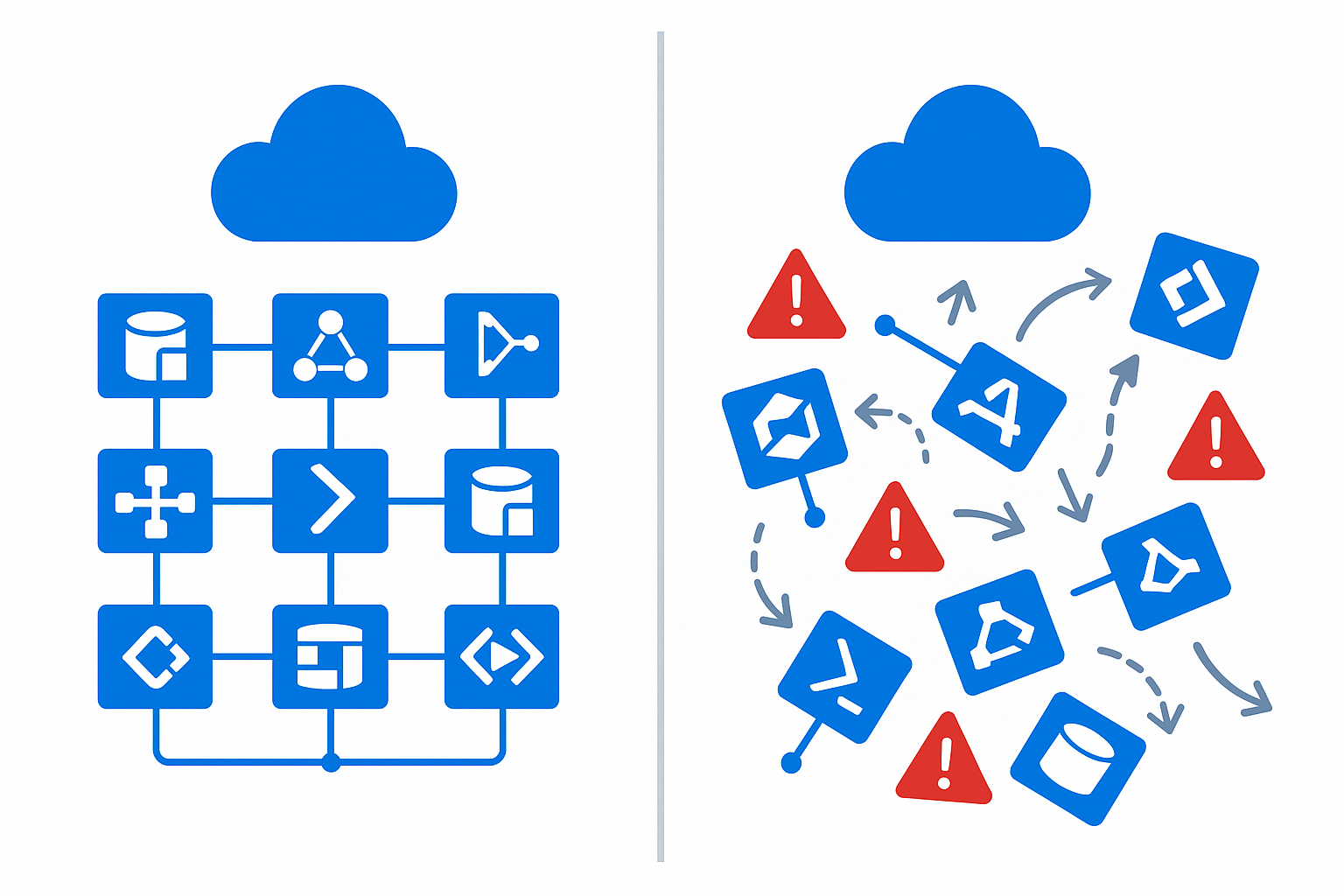
Landing Zones look perfect in Microsoft's diagrams — but drift is inevitable. Here's why they fail (organizational reasons, not technical) and what must be included for Landing Zones to survive enterprise reality.
Every Azure architect knows the diagram.
This guide is part of our AI-Assisted Azure Operations hub exploring how AI tools transform cloud administration and productivity workflows.
Blue boxes.
Clean pillars.
Perfect hub-and-spoke.
Identity nailed down.
Networking carved into neat segments.
Policies applied with surgical precision.
It's a beautiful vision.
But the moment your real organization starts deploying workloads, something happens:
Your Landing Zone begins to drift.
And the drift is nonstop.
This post explains why that drift happens, why it's not your fault, and what an Azure Landing Zone must include if it's going to survive enterprise reality.
The Problem: Azure Landing Zones Fail for Organizational Reasons, Not Technical Ones
I've managed Azure environments at enterprise scale — 40+ subscriptions, 30,000+ resources, multiple regions, hybrid connectivity to on-premises datacenters.
Landing Zones rarely collapse because of:
- A bad policy
- A missing blueprint
- An incorrect subnet
- A misconfigured management group
Those are easy problems.
They collapse because:
- Your identity team is on a different roadmap
- Your network engineers live in firewall tickets
- Your security team has never logged into Azure
- Your application teams deploy whatever they want
- Your tagging standards are ignored after 60 days
- Your governance team is understaffed
- Your automation team is overcommitted
Azure doesn't break.
People, process, and ownership do.
This is the Landing Zone reality no Microsoft diagram can solve for you.
The First 90 Days: Where Landing Zones Drift
Here's what actually happens inside an enterprise after Landing Zone go-live:
1. Identity Misalignment Appears Immediately
Your LZ design assumes:
- Entra ID ownership
- Conditional Access maturity
- Privileged Identity Management onboarding
- RBAC discipline
But your real environment has:
- Break-glass accounts everywhere
- Privileged roles assigned permanently
- On-prem sync issues
- No JIT/JEA boundaries
- Shadow admin groups nobody admits exist
Real example: In one environment I managed, we discovered 47 users with permanent Owner rights across subscriptions. Not because of poor planning — because the identity team was backlogged for 8 months on PIM onboarding.
Identity misalignment is the #1 cause of Landing Zone chaos.
2. Networking Becomes a Bottleneck (And Then a Bypass)
Your LZ assumes:
- Hub-and-spoke
- Dual ExpressRoutes
- Firewall inspection points
- DNS forwarders
- Secure edge
But reality delivers:
- Slow firewall change tickets (3-week SLA)
- Teams bypassing the hub using public endpoints
- Workloads deployed in the wrong region
- A shadow Virtual WAN someone started without approval
- Direct Internet access exceptions "just for now"
Real example: Application teams waited 4 weeks for firewall rules. So they deployed with public IP addresses instead. We discovered 127 public-facing VMs that should have been private.
Networking drift is inevitable without automation and governance.
3. Tagging Collapses Under Operational Pressure
During the project:
- Everyone tags correctly
- Application teams follow standards
- Governance is clean
- Dashboards look beautiful
At day 60:
- "Owner" is blank
- "CostCenter" is wrong
- "Environment" has 247 variations
- App names drift
- Tags stop matching the CMDB
- FinOps becomes impossible
Real numbers from my environment:
- 847 resources tagged "Production"
- 312 resources tagged "Prod"
- 156 resources tagged "PRODUCTION"
- 89 resources tagged "production"
- 67 resources tagged "P"
That's just ONE tag value. Finance couldn't group costs because we had 247 variations of "Production."
Without automated remediation, tagging ALWAYS collapses.
4. Policy Becomes Unenforced or Over-Enforced
Azure Policy is powerful — but easy to misuse.
Two failure modes appear:
Under-enforced mode:
- Too many policies are "audit only"
- Exceptions are granted globally instead of per resource
- Teams deploy outside guardrails
- Shadow subscriptions appear
Over-enforced mode:
- Policies block deployments
- App teams escalate
- Architects disable policies "temporarily"
- Governance breaks down completely
Real example: We deployed a policy requiring encryption at rest. Within 2 weeks, we had 23 exemption requests. Within 6 weeks, the policy was disabled globally because "it was blocking production deployments."
A Landing Zone must include policy lifecycle operations, not just policy definitions.
5. Operations Workloads Don't Fit the Architecture
Your design assumed:
- Standard VM SKUs
- Managed Identities everywhere
- Azure Monitor baseline
- Log Analytics hygiene
- Automation standards
Reality brings:
- Legacy agents (MMA)
- Inconsistent AMA onboarding
- Custom scripts running in user context
- Apps requiring unsupported OS versions
- VMs deployed by tools you didn't approve
Real example: We designed for Azure Monitor Agent (AMA) everywhere. Six months later, 40% of VMs still had MMA because application teams "couldn't test migration yet."
Operations drift is where Landing Zones officially lose control.
The Hard Truth: Landing Zones Don't Fail — They're Never Operationalized
Most Landing Zones are designed once
→ delivered by consulting teams
→ documented
→ and then left without a long-term owner.
I've seen this pattern repeatedly:
- Big 4 consulting engagement: $800K
- Beautiful Terraform/Bicep code
- 400-page documentation
- Perfect architecture diagrams
- Handoff to operations team
- No operational playbook
Six months later:
- Policies disabled
- Tags inconsistent
- Shadow resources everywhere
- Cost reporting broken
- Security team frustrated
The Landing Zone MUST be:
- Versioned
- Updated
- Monitored
- Enforced
- Automated
- Measured
- Reviewed quarterly
Without ownership, a Landing Zone is just an architectural sketch.
What a Survivable Landing Zone Actually Looks Like
These are not optional.
Organizations that get Landing Zones right always have these five elements:
1. Automated Tag Governance
Not a policy.
Not a slide deck.
Not a spreadsheet.
Automation that fixes bad tags every day.
Here's what works:
// Find resources with non-standard Environment values
Resources
| extend env = tostring(tags.Environment)
| where env !in ("Production", "Staging", "Development", "Sandbox")
| project name, resourceGroup, currentValue = env
| extend suggestedValue = case(
    env in~ ("Prod", "PRD", "P", "PRODUCTION"),
        "Production",
    env in~ ("Stage", "STG", "S"),
        "Staging",
    env in~ ("Dev", "D"),
        "Development",
    "Sandbox"
)
Then remediate nightly with PowerShell. We fixed 200+ tags per week this way.
2. Real Identity Governance
Minimum requirements:
- PIM everywhere
- No permanent privileged roles
- Enforced Conditional Access
- Break-glass accounts monitored
What actually works:
- Monthly PIM access reviews
- Max 24-hour role activations
- Audit logs for break-glass usage
- Conditional Access blocking legacy auth
3. Network Guardrails That Can't Be Bypassed
If app teams can deploy public endpoints without approval, your LZ is already failing.
What works:
- Azure Policy denying public IP creation (with exemption workflow)
- Private endpoint requirement for PaaS services
- Hub inspection enforced via routing
- Monthly audit of NSG rules
4. Policy + Exemption Workflow
A Landing Zone must include:
- Policy ownership (who maintains policies)
- Policy approval workflow (change management)
- Policy exemptions with expiration (90 days max)
- Monthly policy reviews (what's working, what's not)
Real workflow:
1. Team requests exemption via ServiceNow ticket
2. Governance team reviews (2 business days)
3. If approved: exemption created with 90-day expiration
4. Before expiration: team must re-justify or fix compliance
5. Monthly report to leadership on exemption trends
5. Centralized Observability Baseline
The non-negotiables:
- AMA onboarding checklist
- LA workspace standards (one per environment, not per app)
- Activity Log streaming to LA
- ARG-based inventory queries
- Alerting hygiene (no noise, only actionable)
What I implemented:
- Weekly ARG queries to detect drift
- Automated inventory reports to leadership
- Alert tuning based on actual incidents
- Runbooks for common operational issues
This is the part architects skip — and it's the reason enterprises lose visibility.
The Reality Check
Azure Landing Zones don't fail because they're poorly designed.
They fail because they're not continuously governed.
A Landing Zone isn't a diagram.
It's not Bicep.
It's not Terraform.
It's not a subscription hierarchy.
A Landing Zone is a living system that decays without:
- Ownership
- Automation
- Governance
- Operational maturity
Get those right, and your Landing Zone will remain stable — even in a complex enterprise.
But there's a deeper question: even with perfect operational maturity, can you explain your Landing Zone's costs to the CFO? This is the defensibility gap I explore in You Can't Govern What You Can't Explain on a Napkin—architecture is necessary but not sufficient for governance.
💡 Want the Complete Landing Zone Assessment Framework?
I've built a 55-question assessment that covers:
- Identity readiness
- Network architecture
- Tag governance
- Policy enforcement
- Operations maturity
It's the same framework I use to audit enterprise Azure environments at 30,000+ resource scale.
👉 Download the Azure Integration Assessment Framework (No email required)
🛑 Who Owns the Landing Zone?
Landing Zones drift when no one is accountable for the drift.
Download the Azure RACI Matrix to assign 'Drift Management' to a specific role.
Related Posts
More Azure reality checks:
- Tag Governance: Why 247 Variations Collapse Cost Reports
- Cloud Migration Reality Check: 55-Question Assessment
- Azure Arc Ghost Registrations: 64% Don't Exist
- Azure Cost Reporting for the Boardroom
Azure Admin Starter Kit (Free Download)
Get my KQL cheat sheet, 50 Windows + 50 Linux commands, and an Azure RACI template in one free bundle.
Get the Starter Kit →💰 Stop Guessing at Azure Costs
Get the Azure FinOps Framework with cost allocation templates, tag governance policies, and showback dashboards that finance actually understands.
Download FinOps FrameworkExcel template • KQL queries included • No email required