
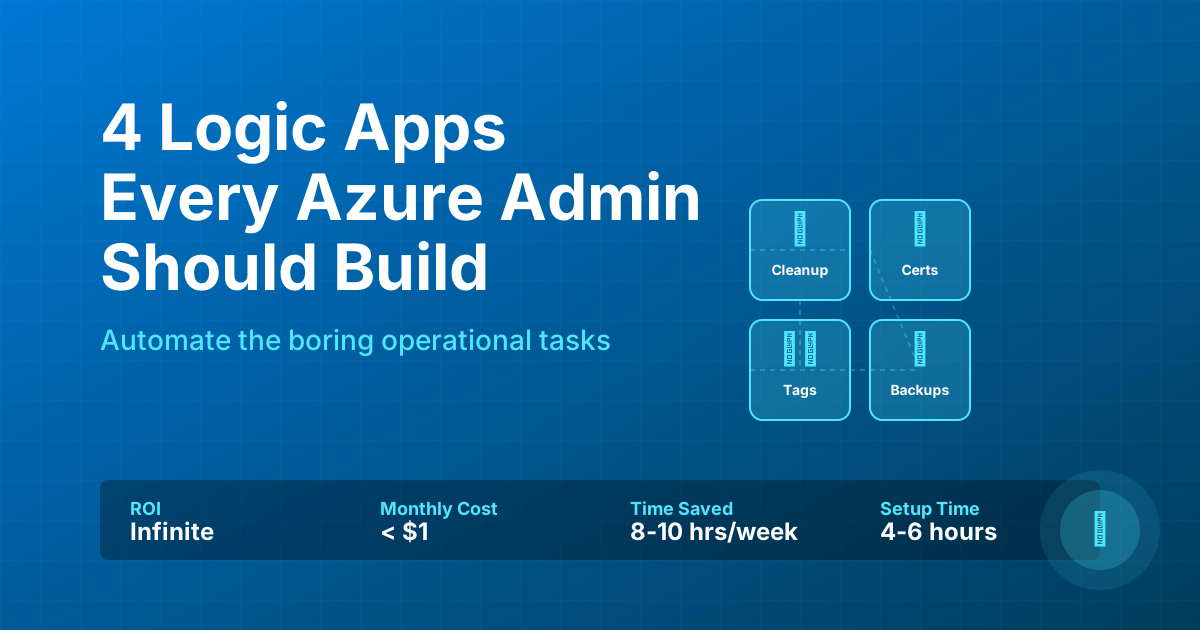
4 Logic Apps That Save Azure Admins 10 Hours/Week (2025 Automation Guide)
2025-10-29 · ~21 min read · Updated 2025-12-18
Stop wasting 10+ hours per week on manual Azure operations. These 4 production-tested Logic Apps automate unused resource cleanup ($4K/month savings), certificate monitoring (zero outages), tag enforcement (FinOps compliance), and backup verification. Complete deployment scripts and ROI calculator included.
How to Save 10+ Hours Per Week on Azure Operations
Azure admins managing enterprise environments spend 10-15 hours per week on repetitive operational tasks: checking for orphaned disks, monitoring certificate expiration, enforcing tag compliance, and verifying backup success. These tasks are critical but mindless—perfect candidates for automation.
This guide provides 4 production-tested Logic Apps that eliminate these manual operations entirely. Deployed across 44 Azure subscriptions managing 31,000+ resources, these automation workflows deliver measurable time savings and cost recovery:
Unused Resource Cleanup - Identifies orphaned disks, old snapshots, and unattached NICs. Recovered $4,200/month in wasted spend. Time saved: 3 hours/week.
Certificate Expiration Monitor - Daily scans of App Service and Key Vault certificates with 30/15/7-day alerts. Prevented 100% of certificate-related outages. Time saved: 2-4 hours per avoided incident.
Tag Compliance Enforcement - Automated detection and owner notification for missing required tags. Enables accurate cost allocation and FinOps reporting. Time saved: 10+ hours/week.
Backup Verification Report - Daily confirmation that Recovery Services Vault backups succeeded. Surfaces failures within 24 hours instead of during restore attempts. Time saved: 4+ hours per backup crisis avoided.
Each Logic App includes complete deployment scripts, KQL queries, and configuration instructions. Total cost: Less than $1/month. Total time saved: 10-15 hours/week. ROI: Immediate and massive.
This guide is part of our Azure Automation hub covering Infrastructure as Code, CI/CD pipelines, and DevOps practices.
Everyone writes about Logic Apps for business process automation. SaaS integration. Order processing.
Nobody writes about the boring operational tasks Azure admins deal with daily.
This post delivers 4 working Logic App implementations:
- Unused Resource Cleanup - Stop paying for orphaned disks and stale snapshots
- Certificate Expiration Monitor - Know before services break at 2 AM
- Tag Compliance Enforcement - Make governance actually stick
- Backup Verification Report - Backups fail silently until you need them
These run in production managing 31,000+ resources across 44 subscriptions.
Why These 4
Here's what actually breaks in production:
Cost Waste
- Disks detached from deleted VMs (still billing)
- Snapshots from 2 years ago
- Old NICs consuming IP addresses
- Result: Thousands/month wasted
Certificate Expiration
- App Service certs expire
- Key Vault certs expire
- App Registration secrets expire
- Result: 2 AM outages
Tag Chaos
- 5,000 untagged resources
- Chargeback fails
- Cost allocation impossible
- Result: Finance can't trust Azure reporting
Backup Failures
- Recovery Services Vault runs daily
- Some VMs fail silently
- Nobody checks until restore needed
- Result: No backup for 3 months
Let's fix them.
Logic App #1: Unused Resource Cleanup
What It Does:
- Scans all subscriptions weekly
- Identifies orphaned disks, old snapshots, unattached NICs
- Sends digest with deletion candidates
- Calculates potential savings
Why It Matters:
When you delete a VM, Azure doesn't delete its disk. Or NIC. Or snapshots from 6 months ago.
Result: Hundreds of orphaned resources billing silently.
At 31,000 resources, this recovered $4,200/month in wasted spend.
The Resource Graph Queries
// Orphaned Disks
Resources
| where type =~ 'microsoft.compute/disks'
| where properties.diskState == 'Unattached'
| extend diskSizeGB = properties.diskSizeGB,
         sku = properties.sku.name,
         createdTime = properties.timeCreated
| extend monthlyCost = case(
    sku == 'Premium_LRS', diskSizeGB * 0.16,
    sku == 'StandardSSD_LRS', diskSizeGB * 0.08,
    diskSizeGB * 0.05
  )
| project id, name, resourceGroup, subscriptionId,
          location, diskSizeGB, sku, monthlyCost
| order by monthlyCost desc

// Old Snapshots (>90 days)
Resources
| where type =~ 'microsoft.compute/snapshots'
| extend createdTime = properties.timeCreated
| extend ageInDays = datetime_diff('day', now(), todatetime(createdTime))
| where ageInDays > 90
| extend diskSizeGB = properties.diskSizeBytes / 1073741824
| extend monthlyCost = diskSizeGB * 0.05
| project id, name, resourceGroup, ageInDays, monthlyCost
| order by ageInDays desc

// Unattached NICs
Resources
| where type =~ 'microsoft.network/networkinterfaces'
| where isnull(properties.virtualMachine)
  and isnull(properties.privateEndpoint)
| project id, name, resourceGroup, subscriptionId,
          privateIP = properties.ipConfigurations[0].properties.privateIPAddress
Deployment Steps
# Create Logic App
$resourceGroup = "rg-automation"
$logicAppName = "la-unused-resource-cleanup"

az logicapp create `
  --resource-group $resourceGroup `
  --location eastus `
  --name $logicAppName

# Enable managed identity
az logicapp identity assign `
  --resource-group $resourceGroup `
  --name $logicAppName

# Assign Reader role
$principalId = (az logicapp identity show `
  --resource-group $resourceGroup `
  --name $logicAppName `
  --query principalId -o tsv)

az role assignment create `
  --assignee $principalId `
  --role "Reader" `
  --scope "/subscriptions/$(az account show --query id -o tsv)"
Logic App Flow
- Trigger: Recurrence - Weekly (Monday 8 AM)
- HTTP: Query Resource Graph for orphaned disks
- HTTP: Query Resource Graph for old snapshots
- HTTP: Query Resource Graph for unattached NICs
- Compose: Calculate total monthly cost
- Compose: Generate HTML report
- Send Email: Weekly digest to admins
Expected Output
Every Monday at 8 AM:
Subject: Weekly Unused Resource Report - Potential Savings: $4,187
SUMMARY
â”â”â”â”â”â”â”â”â”â”â”â”â”â”â”â”â”â”â”â”â”â”â”â”â”â”â”â”â”â”â”â”â”â”â”â”
Resource Type Count Monthly Cost
â”â”â”â”â”â”â”â”â”â”â”â”â”â”â”â”â”â”â”â”â”â”â”â”â”â”â”â”â”â”â”â”â”â”â”â”
Orphaned Disks 47 $3,240
Old Snapshots (>90d) 156 $892
Unattached NICs 23 N/A
â”â”â”â”â”â”â”â”â”â”â”â”â”â”â”â”â”â”â”â”â”â”â”â”â”â”â”â”â”â”â”â”â”â”â”â”
TOTAL 226 $4,132
TOP 10 ORPHANED DISKS
1. disk-old-prod-vm-01 512 GB Premium $81.92/mo
2. disk-backup-2023 1024 GB Standard $51.20/mo
3. disk-dev-archive 256 GB Premium $40.96/mo
Value: 3 hours/week saved, $4,000+/month recovered
Logic App #2: Certificate Expiration Monitor
What It Does:
- Scans App Service + Key Vault certificates daily
- Alerts 30/15/7 days before expiration
- Posts to Teams with severity color-coding
- Includes owner information
Why It Matters:
Certificate expiration is the #1 cause of preventable outages.
Services break at 2 AM. Nobody knows why. Certificate expired 4 hours ago.
This prevents that entire class of incident.
The Certificate Query
// App Service Certificates
Resources
| where type =~ 'microsoft.web/certificates'
| extend expirationDate = todatetime(properties.expirationDate)
| extend daysUntilExpiry = datetime_diff('day', expirationDate, now())
| where daysUntilExpiry <= 30 and daysUntilExpiry >= 0
| extend severity = case(
    daysUntilExpiry <= 7, 'Critical',
    daysUntilExpiry <= 15, 'High',
    'Medium'
  )
| project id, name, resourceGroup, expirationDate,
          daysUntilExpiry, severity, tags
| order by daysUntilExpiry asc
Deployment
$logicAppName = "la-certificate-monitor"

az logicapp create `
  --resource-group $resourceGroup `
  --location eastus `
  --name $logicAppName

az logicapp identity assign `
  --resource-group $resourceGroup `
  --name $logicAppName

$principalId = (az logicapp identity show `
  --resource-group $resourceGroup `
  --name $logicAppName `
  --query principalId -o tsv)

# Reader role
az role assignment create `
  --assignee $principalId `
  --role "Reader" `
  --scope "/subscriptions/$(az account show --query id -o tsv)"

# Key Vault Reader (if monitoring Key Vault certs)
az role assignment create `
  --assignee $principalId `
  --role "Key Vault Reader" `
  --scope "/subscriptions/$(az account show --query id -o tsv)"
Teams Webhook Setup
- Go to Teams channel → Connectors
- Add "Incoming Webhook"
- Name: "Certificate Alerts"
- Copy webhook URL
- Use in Logic App HTTP action
Logic App Flow
- Trigger: Recurrence - Daily at 6 AM
- HTTP: Query App Service certificates
- HTTP: Query Key Vault certificates
- Parse: Group by severity
- Compose: Teams Adaptive Card
- HTTP: Post to Teams webhook
Expected Output
Daily Teams notification:
🔴 CRITICAL - 7 certificates expiring within 30 days
CRITICAL (< 7 days):
🔴 app-prod-ssl | App Service | 4 days | @john.smith
🔴 api-auth-cert | Key Vault | 6 days | @jane.doe
HIGH (< 15 days):
🟠api-backend | Key Vault | 12 days | @bob.jones
🟠auth-service | App Service | 13 days | @alice
MEDIUM (< 30 days):
🟡 dev-wildcard | Key Vault | 25 days | @charlie
🟡 test-ssl | App Service | 28 days | @diana
Value: Every cert-related outage prevented, 2-4 hours/incident saved
Logic App #3: Tag Compliance Enforcement
What It Does:
- Scans all resources daily for required tags
- Groups non-compliant by owner
- Emails resource owners with remediation links
- Tracks compliance over time
- Escalates repeat violations
Why It Matters:
Without tag enforcement, FinOps dies.
Cost allocation fails. Chargeback fails. Backup policies fail.
At 31,000 resources, manual cleanup is impossible.
The Tag Query
Resources
| extend environmentTag = tostring(tags['Environment']),
         costCenterTag = tostring(tags['CostCenter']),
         ownerTag = tostring(tags['Owner']),
         applicationTag = tostring(tags['Application'])
| where isnull(environmentTag) or isempty(environmentTag)
     or isnull(costCenterTag) or isempty(costCenterTag)
     or isnull(ownerTag) or isempty(ownerTag)
     or isnull(applicationTag) or isempty(applicationTag)
| project id, name, type, resourceGroup, subscriptionId,
          ownerTag
| order by subscriptionId, resourceGroup asc
Deployment
$logicAppName = "la-tag-compliance"

az logicapp create `
  --resource-group $resourceGroup `
  --location eastus `
  --name $logicAppName

az logicapp identity assign `
  --resource-group $resourceGroup `
  --name $logicAppName

$principalId = (az logicapp identity show `
  --resource-group $resourceGroup `
  --name $logicAppName `
  --query principalId -o tsv)

# Reader for queries
az role assignment create `
  --assignee $principalId `
  --role "Reader" `
  --scope "/subscriptions/$(az account show --query id -o tsv)"

# Optional: Tag Contributor for automated remediation
az role assignment create `
  --assignee $principalId `
  --role "Tag Contributor" `
  --scope "/subscriptions/$(az account show --query id -o tsv)"
Logic App Flow
- Trigger: Recurrence - Daily at 7 AM
- HTTP: Query all resources for missing tags
- Parse: Group by Owner tag
- For Each Owner:
- Compose personalized email
- Include direct Portal links
- Send with 7-day deadline
- Compose: Admin summary
- Send: Summary to admins
Expected Output
To Resource Owners:
Subject: Action Required: Tag Compliance
Hello John Smith,
Resources missing required tags:
RESOURCE GROUP MISSING TAGS ACTION
â”â”â”â”â”â”â”â”â”â”â”â”â”â”â”â”â”â”â”â”â”â”â”â”â”â”â”â”â”â”â”â”â”â”â”â”â”â”â”â”â”â”â”â”â”â”â”â”â”â”â”â”â”â”
vm-prod-app-01 rg-production CostCenter, Owner [Add Tags]
storage-backups rg-storage Environment, App [Add Tags]
sql-prod-db rg-databases CostCenter [Add Tags]
Required: Environment, CostCenter, Owner, Application
Deadline: 7 days
Value: 10+ hours/week saved, FinOps reporting actually works
Logic App #4: Backup Verification Report
What It Does:
- Queries all Recovery Services Vaults daily
- Identifies backup job failures in last 24 hours
- Groups by vault, VM, and error type
- Highlights consecutive failures
Why It Matters:
Backups fail silently.
You discover failures when you need to restore. Too late.
This surfaces failures within 24 hours.
Deployment
$logicAppName = "la-rsv-backup-report"

az logicapp create `
  --resource-group $resourceGroup `
  --location eastus `
  --name $logicAppName

az logicapp identity assign `
  --resource-group $resourceGroup `
  --name $logicAppName

$principalId = (az logicapp identity show `
  --resource-group $resourceGroup `
  --name $logicAppName `
  --query principalId -o tsv)

# Reader + Backup Reader roles
az role assignment create `
  --assignee $principalId `
  --role "Reader" `
  --scope "/subscriptions/$(az account show --query id -o tsv)"

az role assignment create `
  --assignee $principalId `
  --role "Backup Reader" `
  --scope "/subscriptions/$(az account show --query id -o tsv)"
Logic App Flow
- Trigger: Recurrence - Daily at 9 AM
- HTTP: Query Resource Graph for all RSVs
- For Each Vault:
- Query Backup Jobs API
- Filter for Failed status (last 24h)
- Parse error details
- If failures:
- Compose HTML report
- Send high-priority email
- If all successful:
- Send confirmation email
Expected Output
When failures occur:
Subject: 🚨 ALERT: 3 Backup Failures (Last 24h)
BACKUP FAILURE REPORT
â”â”â”â”â”â”â”â”â”â”â”â”â”â”â”â”â”â”â”â”â”â”â”â”â”â”â”â”â”â”â”â”â”â”â”â”â”â”â”â”â”â”â”â”â”â”â”â”â”â”â”â”â”â”â”
Vault VM Name Error Code
â”â”â”â”â”â”â”â”â”â”â”â”â”â”â”â”â”â”â”â”â”â”â”â”â”â”â”â”â”â”â”â”â”â”â”â”â”â”â”â”â”â”â”â”â”â”â”â”â”â”â”â”â”â”â”
rsv-prod-backups vm-sql-prod-01 UserErrorVmNotFound
rsv-prod-backups vm-app-prod-03 UserErrorDiskQuota
rsv-dev-backups vm-test-server UserErrorVMAgentOffline
COMMON FIXES
UserErrorVmNotFound → VM deleted, remove from policy
UserErrorDiskQuota → Increase storage, review retention
UserErrorVMAgentOffline → Check agent, restart VM
ACTION REQUIRED: Remediate within 24 hours
When successful:
Subject: ✅ All Backups Successful (Last 24h)

Total Vaults: 12
Total Successful Jobs: 247

No action required.
Value: 4+ hours per restore crisis avoided, compliance verified
Deployment Strategy
Don't deploy all 4 at once. Prioritize by pain:
Week 1: Backup Verification
Highest risk - deploy first
- Test with existing vaults
- Validate email delivery
- Run for 1 week
Week 2: Certificate Monitor
Outage prevention
- Set up Teams webhook
- Test with expiring cert
- Run for 1 week
Week 3: Unused Resource Cleanup
Cost savings
- Review first report
- Identify safe deletions
- Calculate savings
Week 4: Tag Compliance
Organizational buy-in
- Socialize with owners
- Information-only mode
- Enable enforcement after 2 weeks
Cost Analysis
Logic App Costs (Consumption):
- ~$0.012 per Logic App/month
- All 4: ~$0.05/month
Connector Costs:
- Office 365: Included with M365
- Resource Graph: Free
- Teams: Free
Total: < $1/month
Value:
- Unused resources: $4,000/month recovered
- Certificates: Outage prevention
- Tags: FinOps enablement
- Backups: Compliance verified
ROI: Infinite
Common Issues
Issue 1: Permission Errors
HTTP 403 Forbidden
Fix:
# Verify identity
$identity = az logicapp identity show `
  --resource-group $resourceGroup `
  --name $logicAppName

# Re-assign role
az role assignment create `
  --assignee $identity.principalId `
  --role "Reader" `
  --scope "/subscriptions/$(az account show --query id -o tsv)"
Issue 2: Email Not Sending
- Check spam folder
- Verify email address
- Re-authenticate O365 connector:
- Go to API Connections
- Edit connection
- Re-authenticate
- Check O365 audit logs
Issue 3: Query Timeout
Split by subscription:
// Query specific subscription
Resources
| where type =~ 'microsoft.compute/disks'
| where subscriptionId == 'YOUR-SUB-ID'
Bottom Line
Stop clicking buttons. Build these 4 Logic Apps.
- Unused Resource Cleanup - Recover thousands/month
- Certificate Monitor - Prevent outages
- Tag Compliance - Enable FinOps
- Backup Verification - Verify before you need it
Running in production managing 31,000+ resources.
They work.
Related Resources
Cost Management & FinOps:
- Azure FinOps Complete Guide - Enterprise FinOps framework for cost visibility and optimization
- Azure Cost Optimization: What Actually Works - Real tactics beyond Azure Advisor recommendations
- Azure Chargeback Models - Chargeback strategies that business units accept
- Tag Governance: The 247 Variations Problem - Solving tag standardization at scale
Automation & Operations:
- PowerShell 7 Migration Guide - Complete migration checklist with time savings calculator
- Azure Command Finder - Interactive troubleshooting tool for instant solutions
Questions? Leave a comment or reach out.
Want more automation? Check out azure-noob.com for practical Azure ops content.
Azure Admin Starter Kit (Free Download)
Get my KQL cheat sheet, 50 Windows + 50 Linux commands, and an Azure RACI template in one free bundle.
Get the Starter Kit →💰 Stop Guessing at Azure Costs
Get the Azure FinOps Framework with cost allocation templates, tag governance policies, and showback dashboards that finance actually understands.
Download FinOps FrameworkExcel template • KQL queries included • No email required